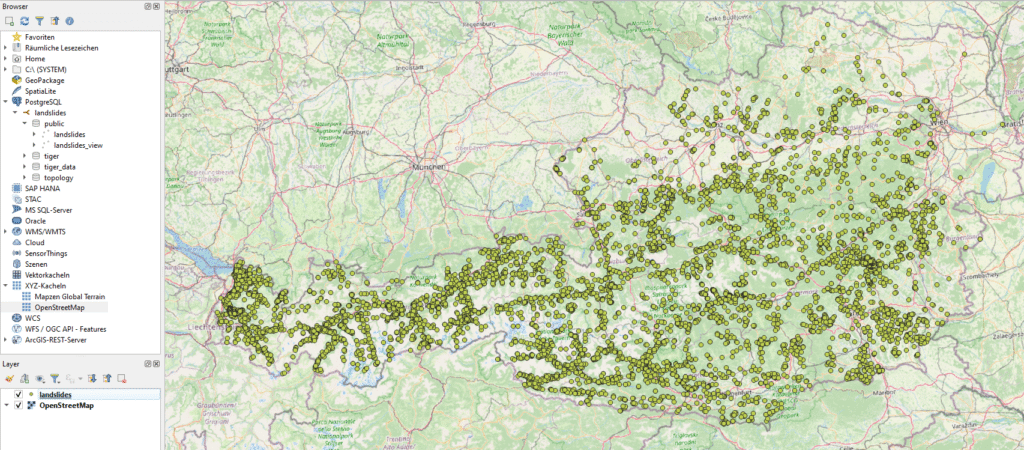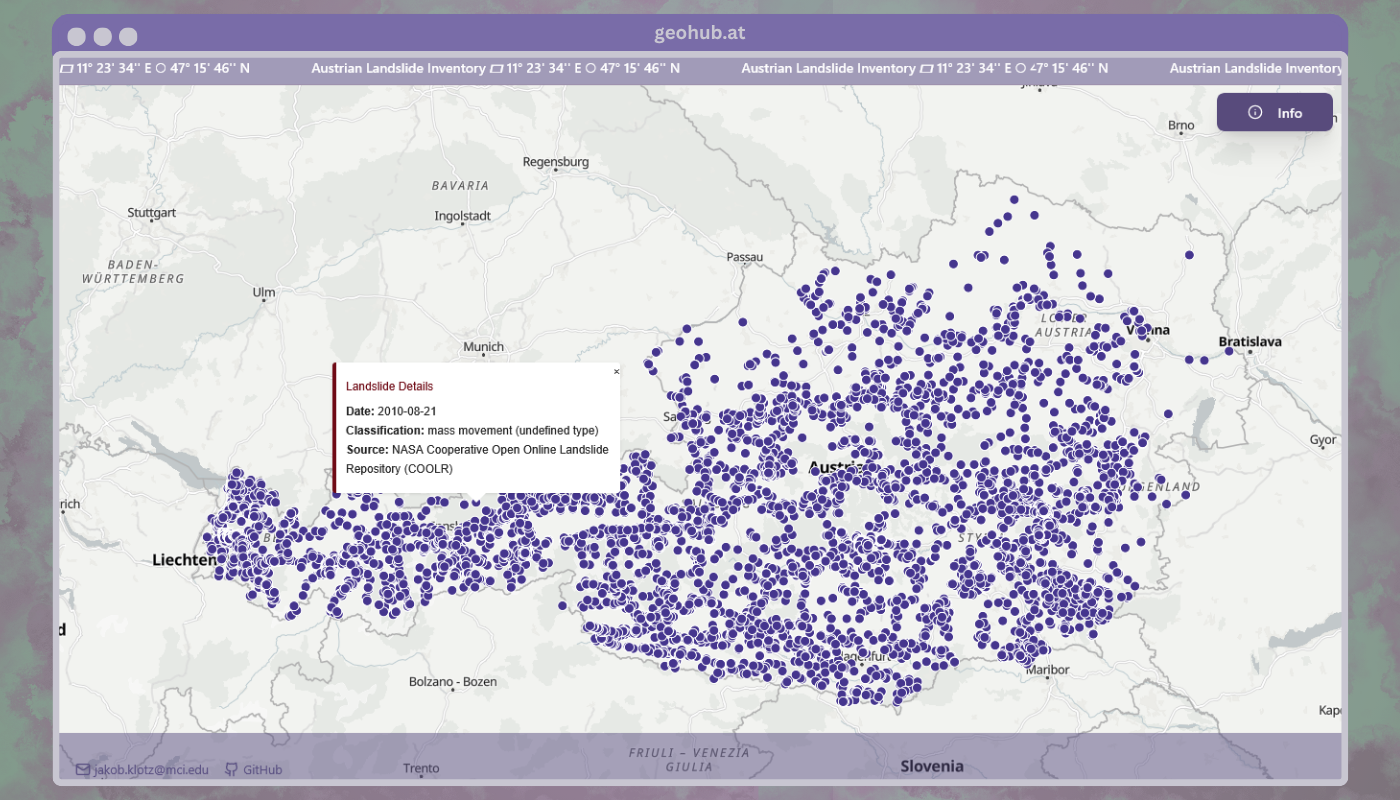
TL;DR: We are building a reproducible, harmonized landslide inventory for Austria: collecting and standardizing open landslide data sets into a single PostGIS data base for mapping and analysis.
Introduction
Recently, I’ve been working more in the geoinformatics space. After reading landslide and susceptibility-mapping literature from around the world, it became clear that Austria lacks a nationwide landslide inventory. Several institutes, regional authorities and researchers maintain high-quality collections, but they live in different silos and formats. This project aims to collect open landslide data across Austria, harmonize it and publish a PostGIS data base for the community to use.
Goals
- Establish a comprehensive, reproducible landslide inventory for Austria combining all available open data sets
- Produce an open PostGIS data base for everyone to use
- Get in touch with experts in the field
- Encourage community contributions
Licensing & Open-Source
We (a team of software developers and geologists) only ingest data that is explicitly licensed for redistribution (open licenses) as the project aims to publish an open data base.
An overview of the current data can be found on geohub.at.
Contact


GitHub repository: github.com/JakobKlotz/landslides-db
Project website and overview: geohub.at
This is an open-source effort, pull requests, issues and data contributions are always welcome. 😊
If you’d like to be involved directly reach out to me via email or the repository contact details.
If you’re interested in the data base setup process, read on!
Developer Quickstart
First, clone the repository.
At the root of the project create an .env file with the following content:
POSTGRES_USER=postgres
POSTGRES_PASSWORD=mysecretpassword  # TODO pick a safe password
POSTGRES_HOST=db  # PostGIS service in docker compose
POSTGRES_PORT=5432
POSTGRES_DB=landslidesBe sure to change the password to something secure! With Docker installed, build the containers:
docker compose buildNext, start the PostGIS data base. Wait until the data base is started and accepts connections.
docker compose up -d db

# You can check the logs with
docker compose logs -f dbLastly, run the importer container to create the data base schema and add data. The container automatically exits when done.
docker compose run importerThat’s it! You should now have a PostGIS data base running on localhost:5432 with the landslide data imported.
The data base can be easily integrated into GIS software like QGIS or ArcGIS. Let’s look at how to connect it in QGIS.
QGIS Connection
To connect to the PostGIS data base in QGIS look at the “Browser” panel on the left side.
Right-click on “PostGIS” and select “New Connection…”. Now, fill in the connection details:
- Name: Any name you like, e.g. “Austrian-Landslide-DB”
- Host: localhost
- Port: 5432 (the default)
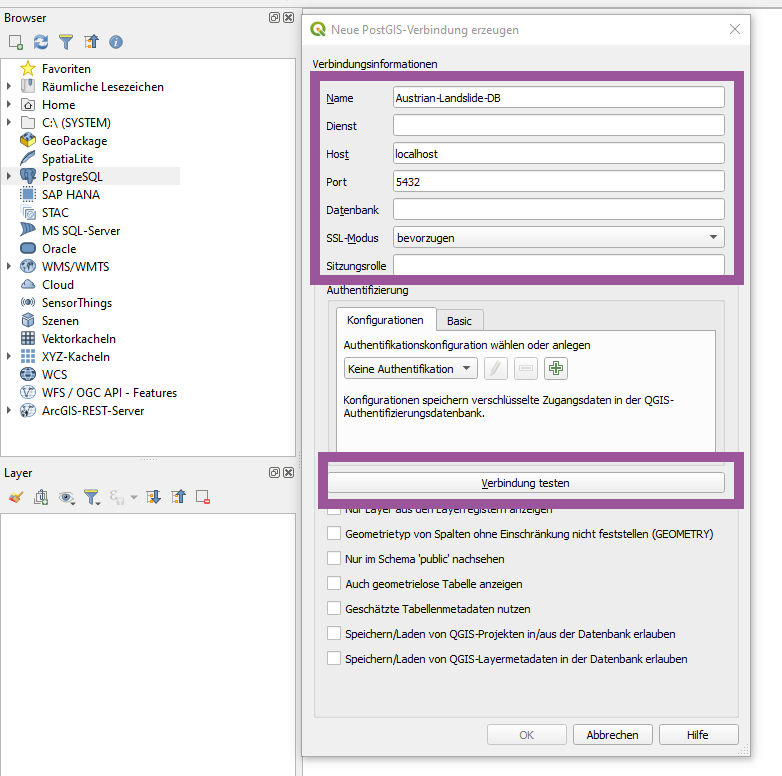
Now click on the button “Test Connection” which will prompt you for the username and password. Enter the credentials you set in the .env file (for the POSTGRES_USER and POSTGRES_PASSWORD variables).
With the right credentials, you should see a success message. On the “Browser” panel, you can now expand the new connection and see the available schemas and tables. In our case open the landslides dropdown and then the public schema to see the imported landslide data. Use the landslides table to visualize the landslide points. Simply double click on it and the points should be added to the map canvas.
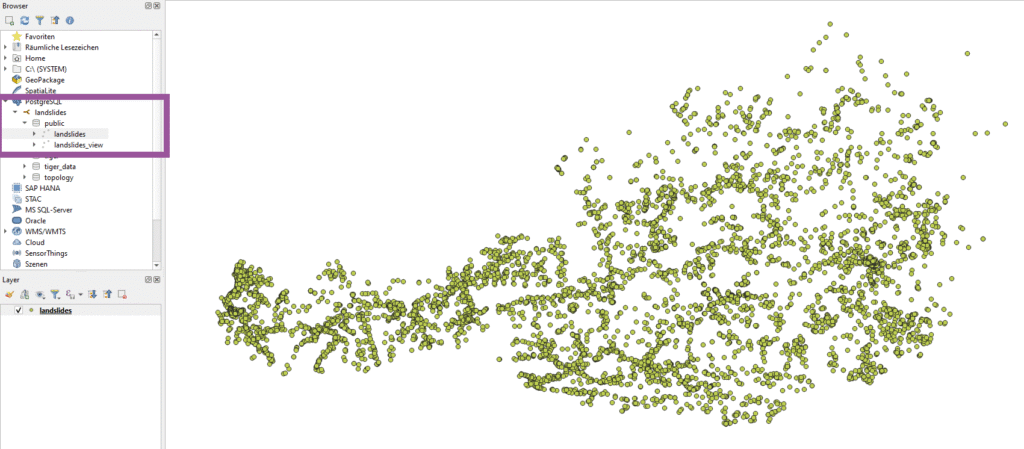
Now you can expand the QGIS project with other layers. For simplicity, I added the OpenStreetMap base layer.